

How to Request Medical Records: Key Steps + Request Form Template

Key takeaways:
- Under HIPAA, you have the right to review and get a copy of your medical records from any covered provider.
- Providers generally must respond to a written request within 30 calendar days, with one 30-day extension allowed in writing.
- Fees are capped by federal law to reasonable, cost-based charges. Electronic copies pulled directly from the patient portal must be free.
- A complete request (including patient details, dates of service, record types, delivery method) moves faster than a phone call.
- An easy-to-fill letter template for requesting medical records covers everything a records department needs: patient details, date range, record types, delivery method, and the federal rule that entitles you to ask.
- If a provider misses the deadline or overcharges, you can file a complaint with the HHS (Health and Human Services) Office for Civil Rights.
- Bringing records from every provider into one place can save hours of back-and-forth, especially for complex care.
Medical records sit at the center of almost every big healthcare decision: a second opinion, an insurance appeal, an IEP meeting, a new specialist. When they're scattered across five portals and two fax machines, everything moves slower than it should.
Under federal law, you have the right to review and request a copy of your medical records from any covered health care provider, usually within 30 days of a written request.
The fastest path is usually to contact the provider's health information management department (AKA medical records) and ask for an electronic copy. Be specific: include patient name, date of birth, dates of service, the clinics involved, your preferred format like PDF, and where to send it. Ask for secure portal or email delivery when possible to keep fees low and turnaround short.
And, if you're managing complex care, a tool that pulls your records into one place can help make the follow-ups less painful.
The rest of this guide walks through your rights, what to prepare, exactly how to submit a request, timelines, fees, and a request template you can copy for use.
One quick note before you start: You may be requesting your own records, or you may be doing this for a child or loved one. The core process is the same either way, but requesting on someone else's behalf adds one layer: showing the provider you have the authority to receive their records.
If you're requesting for your child, please reference this section on requesting your child's medical records, which covers proof of relationship, sensitive record types, and what changes when your child turns 18.
Before You Request: Two Things to Do
1. Know Your HIPAA Rights
Federal law gives you real, enforceable access to your health information. Knowing what you're entitled to before you submit a request means you won't accept delays, denials, or fees that aren't actually allowed.
Your right to review and get copies
Under the Health Insurance Portability and Accountability Act (HIPAA), you have the right to review and request a copy of your medical records held by any covered health care provider or health plan.
This covers visit notes, lab results, imaging like X-ray files, billing records, and most other protected health information. Providers cannot require you to explain why.
If the provider keeps electronic medical records, they generally must provide an electronic copy in the form you request (for example, PDF) if it can be readily produced that way.
The HHS (Health and Human Services) Office for Civil Rights explains the full scope in its Individuals' Right under HIPAA to Access their Health Information guidance.
What fees a provider can and can't charge
Fees for a copy of your medical records must be “reasonable” and cost-based. HHS is specific: charges can only cover labor for copying, supplies (paper, CDs, USB drives), postage if mailed, and preparation of a summary if you agreed to one. Search and retrieval time cannot be passed on to you.
Two things worth knowing:
- When records are made available through the "View, Download, and Transmit" function of your provider's certified Electronic Health Record (EHR), which is essentially the patient portal, HHS states there should be no fee at all.
- States may also set their own limits on how much providers can charge for medical records. In some cases, these fee caps are stricter than federal rules (see the table further down).
If a provider denies your request or charges what feels excessive, they must explain in writing, and you have a path to appeal.
The right to request corrections
Records can get things wrong: a medication you never took, a family history garbled somewhere between intake and chart. You can ask to have it fixed; this is called an amendment request.
Start by just telling your provider. A portal message or note to your care team is usually the fastest route, especially for family history. Your provider can often correct it themselves, which matters if a prior authorization is riding on those details.
If that doesn't work, file a formal amendment request:
- Put it in writing to the medical records department
- Name the specific entry and what's wrong
- Include supporting documentation, and keep a copy
Know the tradeoff: providers get 60 days to respond, plus a possible 30-day extension. If they deny it, they must explain in writing — and you can add a statement of disagreement that travels with the record.
2. Have Your Information Ready
A vague request can get bounced back. The health information management department will ask for more detail, and that may cost you a week. Pull the specifics together first.
Have this ready before you contact any medical facility:
- Full legal name of the patient, plus parent or guardian name for a child
- Date of birth
- Dates of service or a clear range (for example, "January 2020 to present")
- Specific record types such as visit notes, lab results, imaging, billing records, referrals. If you want the complete file rather than specific pieces, say so plainly. Asking for everything is allowed and is often the simplest option when you're not sure what you'll need later.
- Genetic testing details, if you're requesting those results. Include whatever you remember, such as the name of the testing lab, the name of the test, the ordering provider, and roughly when it was done. Genetic testing records, especially ones more than a few years old, are often stored separately from the rest of the chart. These are records where staff may not know what they're looking for without a specific pointer.
- Name and address of the provider or facility
- Preferred delivery method: portal, email, postal mail, or fax (yes, a lot of healthcare providers still use fax machines)
- Where to send the records, especially if forwarding to another health care provider
If you're figuring out how to request medical records from a hospital with multiple departments, list each department separately. Neurology and cardiology often keep their own records and their own release of information staff.
How to Request Your Medical Records: Step-by-Step
Once your details are ready, the actual submission is straightforward. Here's the sequence most families follow, along with what to expect at each stage.
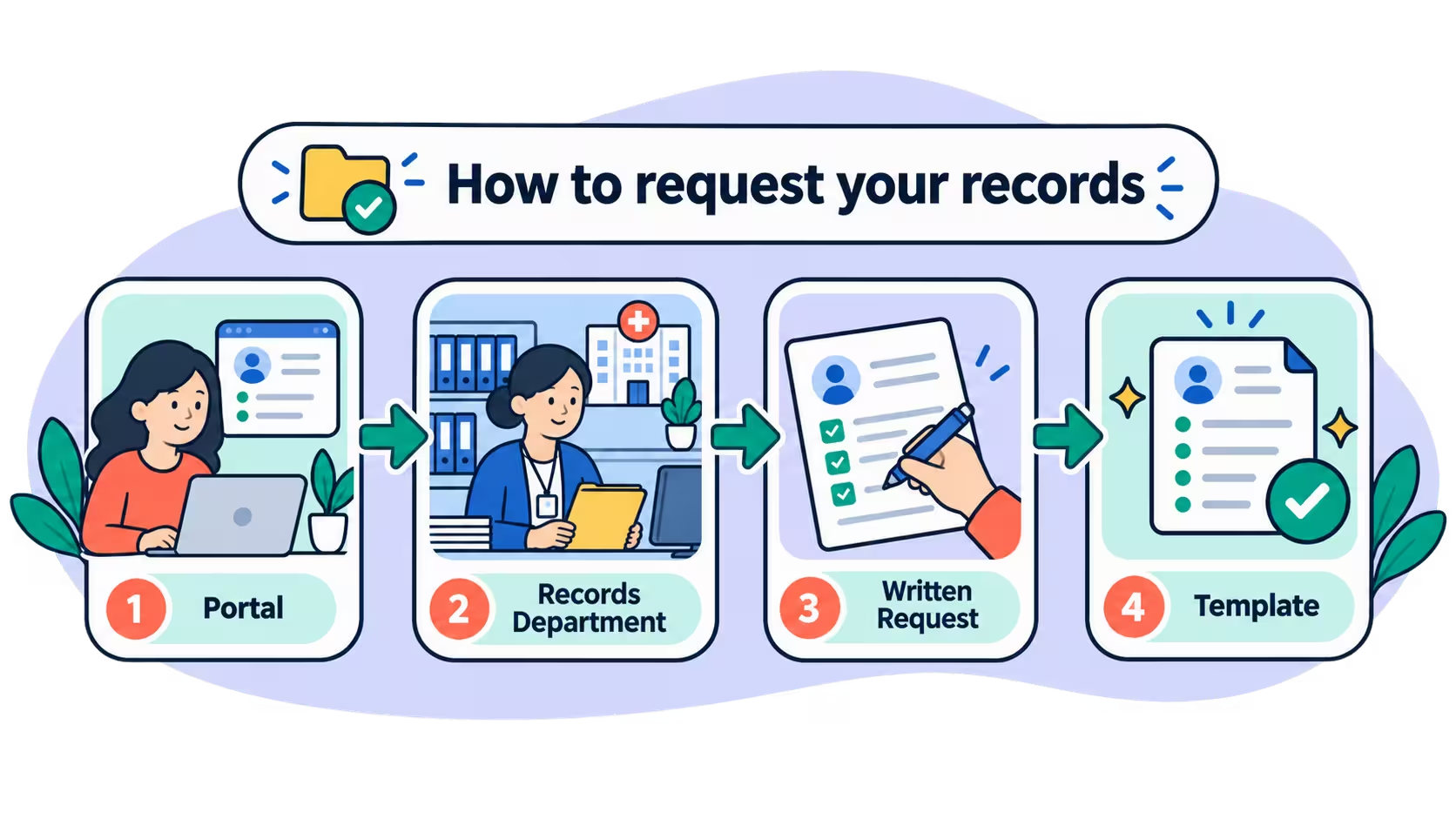
Step 1: Start with the patient portal
Log into the provider's patient portal (Epic MyChart, athenahealth Patient Portal, or FollowMyHealth) and look for a "Request Records," "Health Record," or "Documents" section.
If you don't have a portal account yet, most providers can set one up in a few minutes at your next visit or by calling the front desk or the patient registration department.
The ONC (Office of the National Coordinator for Health IT) has a helpful walkthrough on how to get your health record that covers portal setup and the "Blue Button" symbol that signals downloadable records.
Three things portals don't always give you:
- Full imaging files; the portal usually shows the radiologist's written report, not the actual scan. Ask the radiology department for a copy on a disc or USB drive.
- Records from before your provider switched to its current system (many hospitals changed record systems in the last decade, so older visits may sit in a separate archive that staff has to pull manually).
- Genetic testing results, which are frequently stored outside the main chart. And the older the test, the likelier it is that no one has filed it where you'd expect.
For those, move to Step 2.
Step 2: Contact the medical records department directly
If the portal doesn't cover what you need, call or email the medical records department (most are staffed Monday through Friday).
Ask three specific questions:
- What's the preferred way to submit a request (fax, email, secure portal, or mail)?
- Do you have a specific authorization form or records release form the facility requires?
- What's the expected turnaround for my type of request?
There's one category, though, where the records department isn't always your best first call. Because genetic testing is completed through external laboratories, not usually at the hospital or clinic where the tests were ordered, results can be a little tricky to find. Some genetic testing results (especially testing older than a few years) may still be on paper and not available through electronic systems at all.
Requesting genetic testing records? Try the lab directly.
Genetic testing results can go missing from records requests more than almost anything else, especially when the test is more than a few years old. If you need a genetic testing result ASAP for another appointment and you have not had luck requesting this record from the hospital or clinic where the genetic testing was initially ordered, there is another option.
If you know which laboratory completed the genetic testing, reach out to them directly. Labs like GeneDx, Prevention Genetics, and Invitae keep their own records and can usually release results directly to you.
If you are unsure which genetic testing company completed the test, try accessing the clinic note from the appointment at which the genetic testing was ordered. Most providers will mention the name of the genetic testing laboratory in their documentation.
Either way, bring details:
- The full name and date of birth of the person who had the genetic testing completed
- The name of the lab that completed the testing (as some testing companies have changed names or merged companies)
- The approximate date
- The specific genetic test or panel
- The ordering provider and clinic
- Any paperwork you have, like a results letter from your provider or invoice/bill from the testing company
Don't have any of that? Ask the ordering clinic for the original test requisition or the billing record. Both usually name the lab. If the lab has since closed or been acquired, ask the clinic who took over its records.
Step 3: Submit a written request
For anything beyond a routine portal download, a written request is the reliable path. You can send it by fax (more on that below) or email in most cases; some facilities still require mail with an original signature. Anything you send must be signed and dated.
Include:
- A completed authorization form (or the facility's records release form) if required
- A copy of your photo ID
- Clear specifics: patient name, DOB, date range, record types, delivery method, delivery address
- If requesting on behalf of someone else, documentation of your authority (for example, guardianship papers or a signed authorization to release information to a third party)
For minor children, parents or legal guardians generally do not need additional authorization from the patient. For adult family members, you'll typically need signed patient consent that specifies what to release and to whom.
No Fax Machine? You Don't Need One.
Plenty of providers still ask for a fax, which is frustrating when almost nobody owns a fax machine anymore. Online fax services let you send a PDF from your phone or laptop to a fax number, no hardware required.
Because you're sending protected health information, it's worth checking a few things before you pick one:
- The service will sign a Business Associate Agreement (BAA), which is the contract that legally binds a vendor to HIPAA's rules. Some providers only offer this on higher-priced plans.
- Files are encrypted in transit and at rest.
- You get a delivery confirmation or audit log, so you can prove the request was received.
- You can add a cover sheet with a confidentiality notice.
Services that publicly offer a signed Business Associate Agreement (BAA) include Fax.Plus, iFax, and WestFax.
A practical shortcut: Ask the records department whether they accept a secure email or portal upload instead. Many now do, and it saves you the step entirely.
Step 4: Use a template (see the section below)
A clear letter gets results faster than a vague phone call. The template in the next section is ready to copy.
Medical Records Request Form: A Letter Template
Fill in the bracketed fields, sign and date the letter, and keep a copy for your files.
[Your Full Name]
[Your Address]
[Your Phone Number]
[Date]
[Provider or Facility Name]
Health Information Management Department
[Address]
Re: Medical Records Request for [Patient Full Name], DOB [MM/DD/YYYY]
To Whom It May Concern,
I am writing to submit a request for medical records for [Patient Full Name], date of birth [MM/DD/YYYY], under my right of access under 45 CFR §164.524 (“Access of individuals to protected health information”).
Please provide a copy of all records from [start date] to [end date], including visit notes, lab and pathology results, imaging reports and radiology readings, medication and immunization lists, referral and consultation letters, discharge summaries, and itemized billing statements.
Please send the records to:
[Your name, address, email, and mailing address]
My preferred format is an electronic copy delivered through your patient portal or by secure email. If an electronic copy cannot be produced, please send paper copies to the mailing address above. Please notify me of any charges before processing. If you require a specific authorization form, consent form, or information form, please send it to me at the email address above.
I have enclosed a copy of my photo ID and a signed authorization to release medical information as required by your medical facility.
Please respond as soon as possible, and no later than the timeframe required by federal privacy law.
Thank you,
[Your Signature]
[Your Printed Name]
Step 5: Track the request and set a follow-up
Ask for a confirmation number or tracking reference. Note the submission date so you can follow up on time.
Here's a simple tracker to copy into a spreadsheet or notebook:
If you haven't heard back in a week, call the medical records department, reference your submission date, and ask for a status update. At a smaller practice, there may not be a separate department, so ask the front desk who handles records requests. Providers process a high volume of these, and a polite follow-up can move yours up the queue.
How to Request Your Child's Medical Records
Most people reading a guide like this aren't requesting their own records. They're a parent building an IEP packet, preparing for a genetics appointment, or pulling together an insurance appeal for their child.
That's a slightly different job than requesting your own file, and it's worth knowing where the rules change.
What's Different When You're the Parent or Guardian
If you're the parent or legal guardian of a minor, you are generally treated as your child's personal representative under HIPAA. That means you can request their records the same way you'd request your own, without extra authorization from the patient.
A few things worth knowing:
- Be ready to supply proof of the relationship. Many facilities ask for the child's birth certificate, a custody order, or guardianship paperwork, especially if your last names differ.
- Some records are treated differently. Depending on state law, records tied to mental health care, reproductive health, or substance use may have separate rules, even for a minor. The hospital’s records department can tell you what applies.
- Access changes at 18. Once your child becomes a legal adult, you'll generally need their signed authorization to keep requesting records on their behalf. If your adult child has a disability affecting decision-making, guardianship or a healthcare power of attorney may be required instead. Send that documentation with your request the first time, since requests submitted without it are a common reason a records request stalls.
One practical tip: If you expect to request records repeatedly from the same provider, ask whether an authorization can remain on file or cover a standing date range, rather than submitting a new form every visit. HHS explains personal representative rules in its guidance on accessing records for someone else.
When you're doing this across neurology, genetics, therapy, and primary care for the same child, the paperwork multiplies fast. Citizen Health is built for exactly this situation, and Ari can help you keep authorizations, requests, and responses organized in one place.
How Long Does a Provider Have to Send My Medical Records?
Under federal law, most covered providers must respond to medical records requests within 30 calendar days of receiving a written request. One 30-day extension is allowed if they send written notice before the first deadline.
Some states set shorter timelines.
Actual turnaround may vary by method:
If a provider misses the deadline, you can file a complaint with the HHS Office for Civil Rights through the OCR Complaint Portal. Complaints must be filed within 180 days of the alleged violation.
What Are the Fees for a Copy of Your Medical Records?
Federal law caps fees at reasonable, cost-based amounts. Some states also set their own limits on what providers can charge for copies of medical records.
Here's what a few states currently allow for paper copies to give you a rough sense of the range:
Two important carve-outs:
- Electronic copies through the portal. HHS states there should be no labor or supply cost for records made available through the View, Download, and Transmit functionality of a certified EHR. If you're being charged for a portal download, push back.
- Fee waivers. Several states waive fees when records are requested for a public benefit application like Social Security Disability, workers' compensation, or Medicaid.
Ask upfront what the fee will be. Providers must tell you before processing.
What's the Best App to Request and Collect Medical Records From All Your Providers?
If you're only managing one or two providers, a patient portal may be enough. For families juggling multiple specialists, therapists, labs, and school health teams, a dedicated tool saves real time.
Citizen Health is built for patients and caregivers managing rare and complex conditions. It collects and centralizes records from your providers (US only) into a single place, lets you ask questions and get answers from those records (like "what medications has my child been prescribed in the past year" or "when did we last see neurology"), and pairs you with Ari, an AI teammate that can help prepare records requests, summarize what comes back, and keep track of what's been sent where.
Your information belongs to you. Citizen Health follows strong privacy and security principles, and your data stays under your control.
Organize Your Medical Records After They Arrive
Disorganized files are almost as frustrating as missing ones, especially when you're prepping for a specialist appointment or filing an amendment request.
A few habits that can help:
- Save everything in one folder per provider, labeled with the facility name and date range.
- Name files clearly: "ChildName_NeurologyVisitNotes_2024" beats "scan001.pdf."
- Create a one-page summary sheet with the patient's diagnoses, current medications, allergies, and emergency contacts. Bring it to every appointment.
- Review new records within a week of their arrival and flag any inaccuracies for an amendment request. Check that anything you specifically asked for actually arrived; genetic testing results and imaging files are two of the most common no-shows.
- Keep a master list of which providers hold records and what you've already collected.
For deeper context on what personal health records are and how to use them, MedlinePlus offers a plain-language patient portals guide from the National Library of Medicine.
Getting Your Records Working For You, Not Against You
Requesting medical records isn't complicated once you know the steps: understand your rights, gather the details, submit a clear written request, follow up on time, and push back on charges that don't match federal or state rules.
What makes it hard is the volume, especially when you're coordinating care across many healthcare providers. That's the part that shouldn't fall entirely on caregivers.
Citizen Health sits on your side of the table, collecting records from all your providers, keeping requests tracked, and giving you a teammate in Ari who can help draft requests, summarize what comes back, and organize your health information so it's ready when you need it.
You stay in control of your data. The load gets lighter.
Frequently Asked Questions (FAQs)
What is a request for medical records form?
A request for medical records form is the document a healthcare provider uses to process your request for copies of your records. It typically collects the patient's name and date of birth, dates of service, the specific record types you want, where to send them, and your signature authorizing the release.
What is the fastest way to get my medical records?
The quickest path is usually through a patient portal like MyChart, where visit notes, lab results, and imaging summaries are often available immediately. For older records or documents not in the portal, a written request sent by fax or email to the medical records department is typically faster than mail.
How do I request my medical records from a hospital or doctor?
Contact the health information management department and ask for their preferred method. Most accept a signed and dated request that includes the patient's name, date of birth, dates of service, the record types you want, and where to send them. Include a copy of your photo ID and, if required, an authorization form.
How can I request full access to my medical records?
Submit a written request that specifies you want your complete record, not just visit summaries. List the record types explicitly: visit notes, lab results, imaging, billing records, referrals, and any other protected health information the provider holds. Providers cannot require you to explain why.
What should I say when requesting medical records?
State clearly that you are requesting a copy of the patient's medical records for a specific date range. Include the patient's full name, date of birth, contact information, delivery preference, and the record types you need. Ask to be notified of any fees before processing.
Can I view my own medical records online?
Yes. Most healthcare providers offer a patient portal where you can view medical records online, including recent lab results, visit notes, and imaging reports. For records spread across many providers, Citizen Health can help centralize them in one place.
Can someone else request records on my behalf?
Yes, but the provider will require patient consent. This usually means a signed authorization to release information to a third party, made in writing, that names the recipient and the specific medical information included. Parents or legal guardians can typically request records for minor children without additional authorization from the patient.
How long does a provider have to send my medical records?
Most covered providers must respond within 30 calendar days of receiving a written request under federal law. They can take one 30-day extension if they notify you in writing before the original deadline. Some states set shorter timelines.

